App overview
-
Here's what the app look likes:
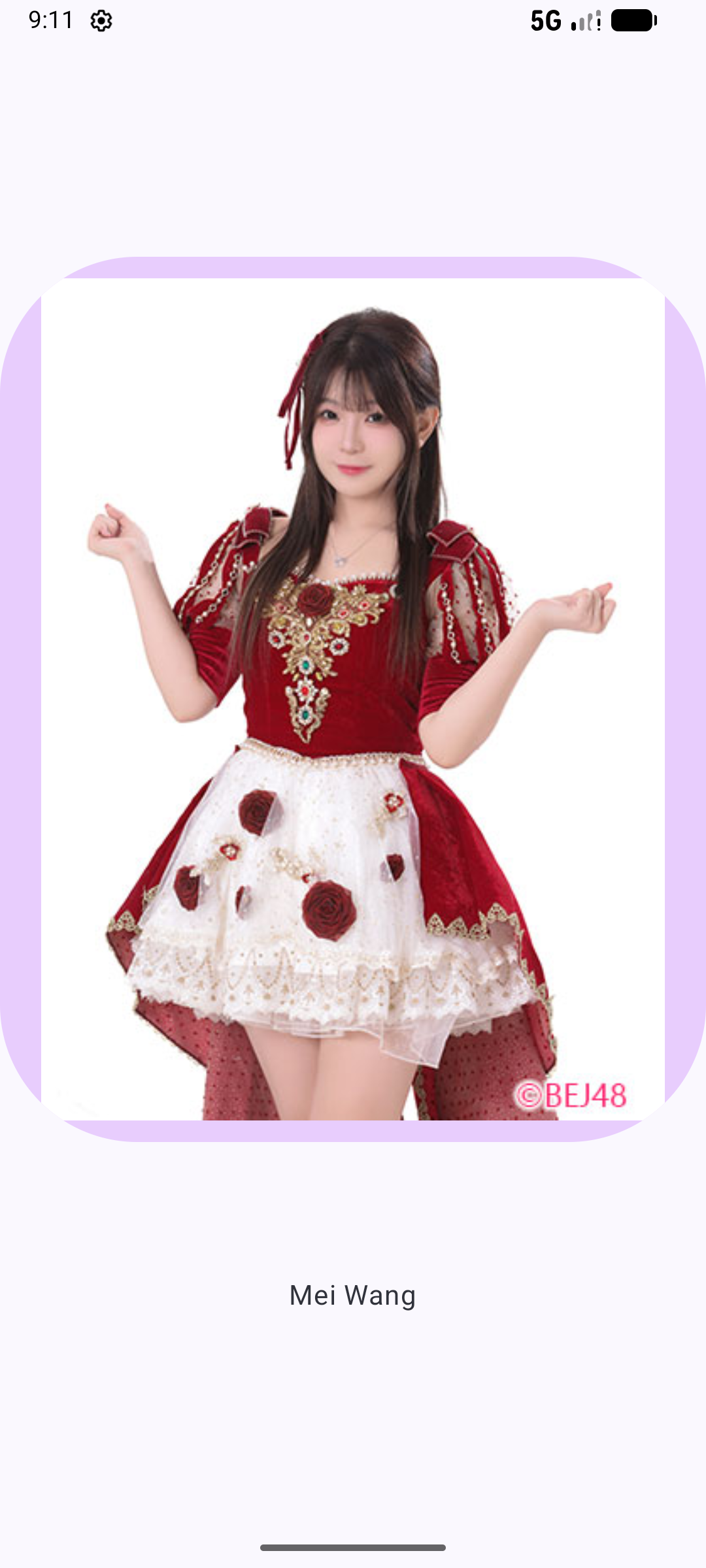
Clicking the photo will navigate to another photo.
-
Define routes and create a NavHostController
-
A NavHost is a Composable that displays other composable destinations, based on a given route.
NavHost( navController, startDestination, modifier ) { composable(route) { content } }- navController: An instance of the NavHostController class. You can use this object to navigate between screens, for example, by calling the navigate() method to navigate to another destination. You can obtain the NavHostController by calling rememberNavController() from a composable function.
- startDestination: A string route defining the destination shown by default when the app first displays the NavHost. In the case of the Cupcake app, this should be the Start route.
- NavHostController is a subclass of the NavController class that provides additional functionality for use with a NavHost composable.
The composable() function has two required parameters:
- route: A string corresponding to the name of a route. This can be any unique string.
- content: Here you can call a composable that you want to display for the given route.
-
Navigate to another route
-
To navigate to another route, simply call the navigate() method on your instance of NavHostController. The navigate method takes a single parameter: a String corresponding to a route defined in your NavHost. If the route matches one of the calls to composable() in the NavHost, the app then navigates to that screen.
  onImageClick = {
                    navController.navigate("pic1")
                }
-
Function A
-
@Composable
fun A(
    navController: NavHostController = rememberNavController()
) {
    NavHost(
        navController = navController,
        startDestination = "pic0",
        modifier = Modifier
            .fillMaxSize()
            .verticalScroll(rememberScrollState())
    ) {
        composable("pic0") {
            Pic0(
                textLabelResourceId = R.string.n1,
                drawableResourceId = R.drawable.c1,
                contentDescriptionResourceId = R.string.n1,
                onImageClick = {
                    navController.navigate("pic1")
                }
            )
        }
        composable("pic1") {
            Pic1(
                textLabelResourceId = R.string.n2,
                drawableResourceId = R.drawable.c2,
                contentDescriptionResourceId =R.string.n2 ,
                onImageClick = {
                    navController.navigate("pic2")
                }
            )
        }
        composable("pic2") {
            Pic2(
                textLabelResourceId = R.string.n3,
                drawableResourceId = R.drawable.c3,
                contentDescriptionResourceId =R.string.n3 ,
                onImageClick = {
                    navController.navigate("pic0")
                }
            )
        }
    }
}
-
Function Pic0
-
@Composable
fun Pic0(
    textLabelResourceId: Int,
    drawableResourceId: Int,
    contentDescriptionResourceId: Int,
    onImageClick: () -> Unit
) {
    Column(
        horizontalAlignment = Alignment.CenterHorizontally,
        verticalArrangement = Arrangement.Center,
        modifier = Modifier.fillMaxSize()
    ) {
        Button(
            onClick = onImageClick,
            shape = RoundedCornerShape(80.dp),
            colors = ButtonDefaults.buttonColors(containerColor = MaterialTheme.colorScheme.tertiaryContainer)
        ) {
            Image(
                painter = painterResource(drawableResourceId),
                contentDescription = stringResource(contentDescriptionResourceId),
                modifier = Modifier
                    .width(500.dp)
                    .height(500.dp)
                    .padding(0.dp)
            )
        }
        Spacer(modifier = Modifier.height(80.dp))
        Text(
            text = stringResource(textLabelResourceId),
            style = MaterialTheme.typography.bodyLarge
        )
    }
}
-
MainActivity
-
class MainActivity : ComponentActivity() {
    override fun onCreate(savedInstanceState: Bundle?) {
        super.onCreate(savedInstanceState)
        enableEdgeToEdge()
        setContent {
            PicNavTheme {
                Surface(
                    modifier = Modifier.fillMaxSize()
                ) {
                    A()
                }
            }
        }
    }
}
-