App overview
-
Here's what the app look likes:
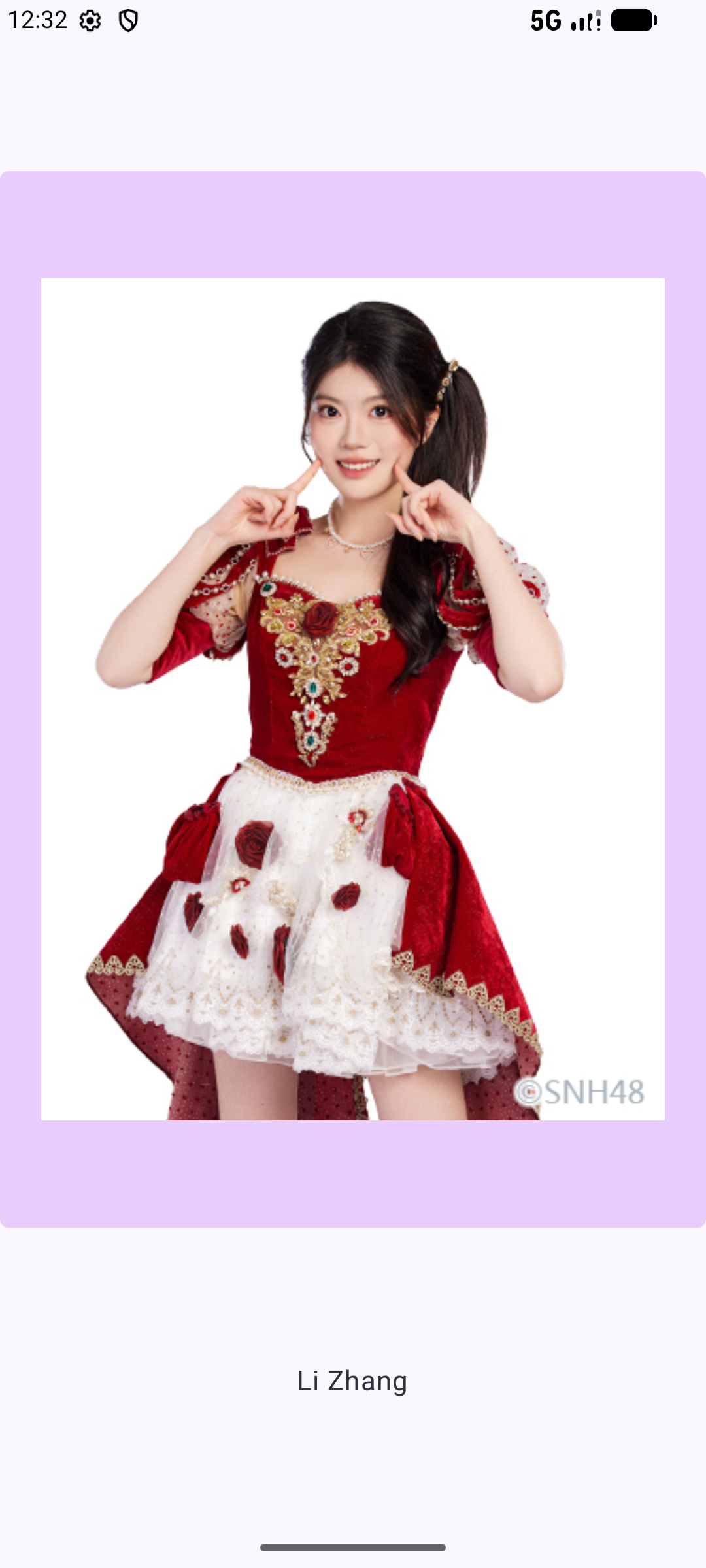
-
Pass in a lambda function to a composable
-
In the following example, a Jj() composable is defined and accepts two input parameters: a drawableResourceId: Int and an onImageClick function of type () -> Unit. That means that the function takes no inputs (the empty parentheses before the arrow) and has no return value ( the Unit following the arrow). Any function that matches that function type () -> Unit can be used to set the onClick handler of this Button. When the button is clicked, the onImageClick function is called.
    @Composable
    fun Jj(drawableResourceId: Int, onImageClick: () -> Unit) {
        Column {
           Button(
              onClick = onImageClick
           ) {
             Image(
                    painter = painterResource(drawableResourceId),
                   contentDescription = stringResource(contentDescriptionResourceId)
             )
           }
       }
    }
-
The fun A()
-
@Composable
fun A() {
    var id by mutableStateOf(1)
    Surface(
        modifier = Modifier
                   .background(MaterialTheme.colorScheme.tertiaryContainer),
        color = MaterialTheme.colorScheme.background
    ) {
             when (id) {
                1 -> {
                    Pic(
                        textLabelResourceId = R.string.b1name,
                        drawableResourceId = R.drawable.b1,
                        contentDescriptionResourceId = R.string.b1name,
                        onImageClick = {
                            id = 2
                        }
                    )
                }
                2 -> {
                    Pic(
                        textLabelResourceId = R.string.b2name,
                        drawableResourceId = R.drawable.b2,
                        contentDescriptionResourceId = R.string.b2name,
                        onImageClick = {
                            id = 3
                        }
                    )
                }

                3 -> {
                    Pic(
                        textLabelResourceId = R.string.b3name,
                        drawableResourceId = R.drawable.b3,
                       contentDescriptionResourceId = R.string.b3name,
                        onImageClick = {
                            id = 1
                        }
                    )
                }

            }
        }
    }
-
The fun Pic()
-
@Composable
fun Pic(
    textLabelResourceId: Int,
    drawableResourceId: Int,
    contentDescriptionResourceId: Int,
    onImageClick: () -> Unit
) {
        Column(
            horizontalAlignment = Alignment.CenterHorizontally,
            verticalArrangement = Arrangement.Center,
            modifier = Modifier.fillMaxSize()
        ) {
            Button(
                onClick = onImageClick,
                shape = RoundedCornerShape(dimensionResource(R.dimen.button_corner_radius)),
                colors = ButtonDefaults.buttonColors(containerColor = MaterialTheme.colorScheme.tertiaryContainer)
                ) {
                Image(
                    painter = painterResource(drawableResourceId),
                   contentDescription = stringResource(contentDescriptionResourceId),
                    modifier = Modifier
                        .width(dimensionResource(R.dimen.pic_width))
                        .height(dimensionResource(R.dimen.pic_height))
                        .padding(dimensionResource(R.dimen.button_interior_padding))
                )
            }
            Spacer(modifier = Modifier.height(dimensionResource(R.dimen.padding_vertical)))
            Text(
                text = stringResource(textLabelResourceId),
                style = MaterialTheme.typography.bodyLarge
            )
        }
}
-
MainActivity
-
class MainActivity : ComponentActivity() {
    override fun onCreate(savedInstanceState: Bundle?) {
        super.onCreate(savedInstanceState)
        enableEdgeToEdge()
        setContent {
            B48v1Theme {
                A()
            }
        }
    }
}
-