App overview
-
Here's what the app look likes:
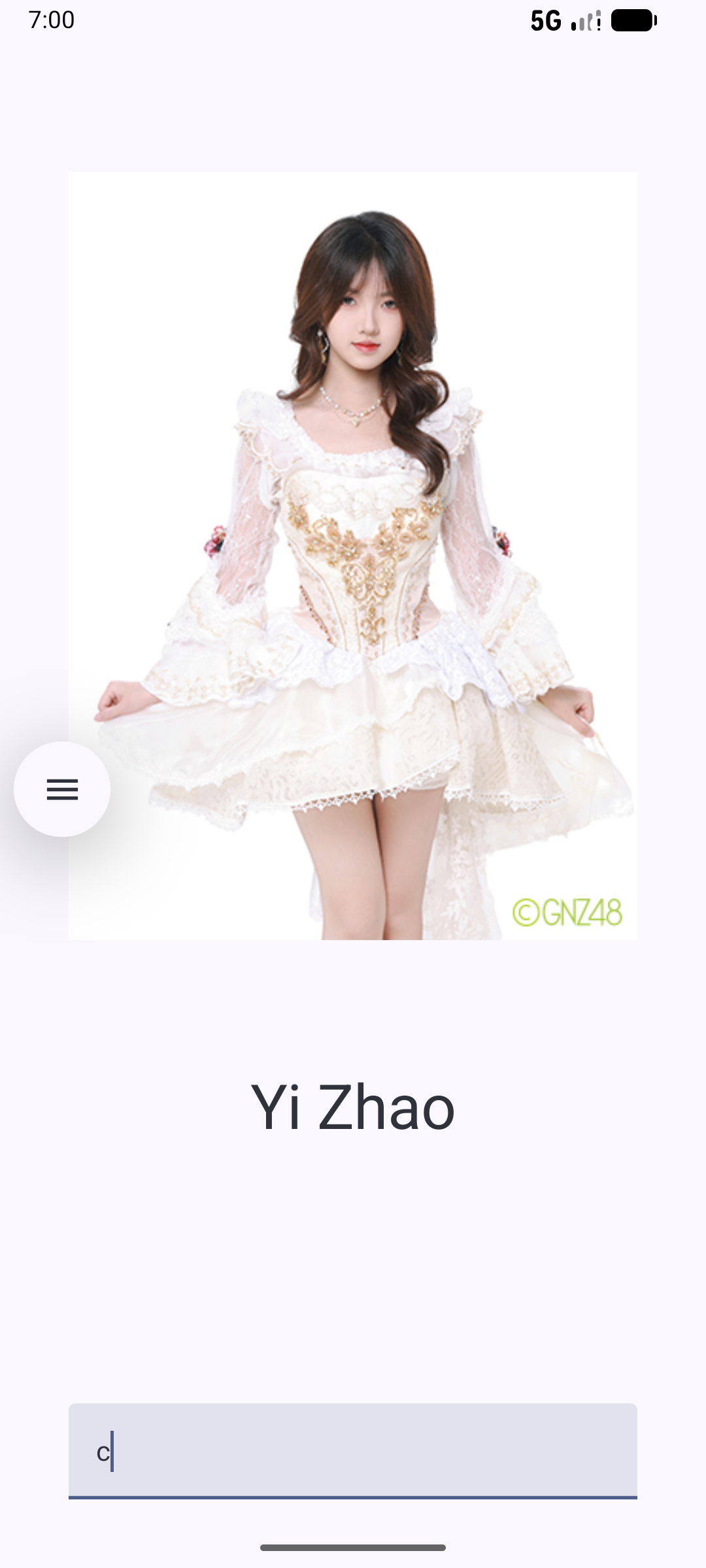
-
The onValueChange lambda in TextField
-
During initial composition, value in the TextField is set to the initial value, which is an empty string. When the user enters text into the text field, the onValueChange lambda callback is called, the lambda executes, and the input is set to the updated value entered in the text field. The input is the mutable state being tracked by the Compose, recomposition is scheduled. The EditField() composable function is recomposed. Since you are using remember { }, the change survives the recomposition and that is why the state is not re-initialized to "". The value of the text field is set to the remembered value of input. The text field recomposes (redrawn on the screen with new value).
    @Composable
    fun EditField(
       value: String,
       onValueChanged: (p:String) -> Unit,
       modifier: Modifier
       ) {
        TextField(
        value = value,
        singleLine = true,
        modifier = modifier,
        onValueChange = onValueChanged
       )
     }
-
The fun A()
-
@Composable
fun A() {
    var input by remember { mutableStateOf("") }
    Column(
        modifier = Modifier
            .statusBarsPadding()
            .padding(horizontal = 40.dp)
            .verticalScroll(rememberScrollState())
            .safeDrawingPadding(),
        horizontalAlignment = Alignment.CenterHorizontally,
        verticalArrangement = Arrangement.Center
    ) {
        Pic(input)
        Spacer(modifier = Modifier.height(150.dp))
           EditField(
            value =input ,
            onValueChanged = { p-> input = p},
            modifier = Modifier.padding(bottom = 32.dp).fillMaxWidth()
        )
        Spacer(modifier = Modifier.height(150.dp))
    }
}
-
The fun EditField
-
@Composable
fun EditField(
    value: String,
    onValueChanged: (p:String) -> Unit,
    modifier: Modifier
) {
    TextField(
        value = value,
        singleLine = true,
        modifier = modifier,
        onValueChange = onValueChanged
    )
}
-
The fun Pic
-
@Composable
fun Pic( p0:String) {
    var drawableResourceId by remember { mutableStateOf(R.drawable.b1) }
    var name by remember { mutableStateOf(R.string.b1name) }

    if (p0 == "a") {
         drawableResourceId = R.drawable.b1
        name=R.string.b1name
    }
    if (p0 == "b") {
        drawableResourceId = R.drawable.b2
        name=R.string.b2name
    }
    if (p0 == "c") {
        drawableResourceId = R.drawable.b3
        name=R.string.b3name
    }

    Image(
        painter = painterResource(drawableResourceId),
        contentDescription = stringResource(R.string.b1name),
        modifier = Modifier
            .width(dimensionResource(R.dimen.pic_width))
            .height(dimensionResource(R.dimen.pic_height))
    )
    Text(
        text = stringResource(name),
        style = MaterialTheme.typography.displaySmall
    )
}
-
MainActivity
-
class MainActivity : ComponentActivity() {
    override fun onCreate(savedInstanceState: Bundle?) {
        super.onCreate(savedInstanceState)
        enableEdgeToEdge()
        setContent {
            B48v3Theme {
                A()
            }
        }
    }
}
-