App overview
-
Here's what the app look likes:
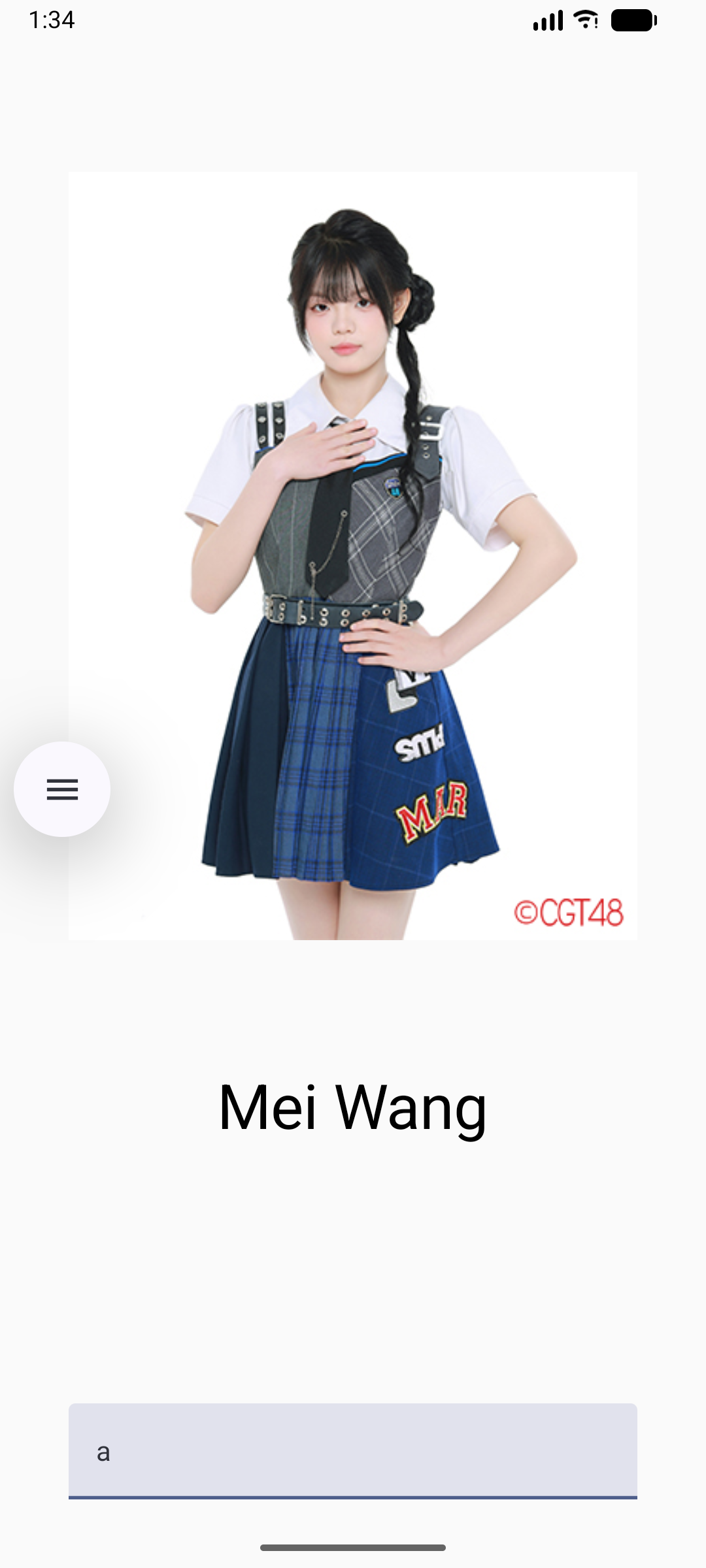
Rotate the device, the screen stays the same. Enter a b c separately, the screen will show the corresponding images.
-
ViewModel
-
The ViewModel component holds and exposes the state the UI consumes. The UI state is application data transformed by ViewModel. ViewModel lets your app follow the architecture principle of driving the UI from the model.
ViewModel stores the app-related data that isn't destroyed when the activity is destroyed and recreated by the Android framework. Unlike the activity instance, ViewModel objects are not destroyed. The app automatically retains ViewModel objects during configuration changes so that the data they hold is immediately available after the recomposition.
To implement ViewModel in your app, extend the ViewModel class, which comes from the architecture components library and stores app data within that class.
   class B48ViewModel : ViewModel() {
      var input0 by  mutableStateOf("")
   }
-
The fun A
-
@Composable
fun A() {
    val b48ViewModel: B48ViewModel = viewModel()
    Column(
        modifier = Modifier
            .statusBarsPadding()
            .padding(horizontal = 40.dp)
            .verticalScroll(rememberScrollState())
            .safeDrawingPadding(),
        horizontalAlignment = Alignment.CenterHorizontally,
        verticalArrangement = Arrangement.Center
    ) {
        Pic(b48ViewModel)
        Spacer(modifier = Modifier.height(150.dp))
        EditField(
            value = b48ViewModel.input0,
            onValueChanged = { p0-> b48ViewModel.input0 = p0},
            modifier = Modifier.padding(bottom = 32.dp).fillMaxWidth()
        )
        Spacer(modifier = Modifier.height(150.dp))
    }
}
-
The fun Pic
-
@Composable
fun Pic( p1:B48ViewModel) {
    var drawableResourceId by remember { mutableStateOf(R.drawable.b1) }
    var name by remember { mutableStateOf(R.string.b1name) }
  when (p1.input0) {
      "a" -> {
          drawableResourceId = R.drawable.b1
          name = R.string.b1name
      }
      "b" -> {
          drawableResourceId = R.drawable.b2
          name=R.string.b2name
      }
      "c" ->{
          drawableResourceId = R.drawable.b3
          name=R.string.b3name
      }
  }

    Image(
        painter = painterResource(drawableResourceId),
        contentDescription = stringResource(R.string.b1name),
        modifier = Modifier
            .width(dimensionResource(R.dimen.pic_width))
            .height(dimensionResource(R.dimen.pic_height))
    )
    Text(
        text = stringResource(name),
        style = MaterialTheme.typography.displaySmall
    )
}
-
The fun EditField
-
@Composable
fun EditField(
    value: String,
    onValueChanged: (p:String) -> Unit,
    modifier: Modifier
) {
    TextField(
        value = value,
        singleLine = true,
        modifier = modifier,
        onValueChange = onValueChanged
    )
}
-
MainActivity
-
class MainActivity : ComponentActivity() {
    override fun onCreate(savedInstanceState: Bundle?) {
        super.onCreate(savedInstanceState)
        enableEdgeToEdge()
        setContent {
            VmTheme {
                A()
            }
        }
    }
}
-