Histogram with Density Curve
-
A histogram is used to visualize the distribution of numerical data by grouping values into intervals called bins. It helps identify the frequency of data values, making it easier to observe patterns, spread and the overall distribution of a dataset. A density curve can be added to a histogram to visualize the overall distribution of the data along with the frequency of values. This provides a smoother view of the data pattern.
-
  import matplotlib.pyplot as plt
  import seaborn as sns
  import numpy as np

  data=np.random.normal(loc=10, scale=10, size=100000)
  sns.histplot(data, bins=30, kde=True, color='green', edgecolor='white')
  plt.xlabel('Values')
  plt.ylabel('Density')
  plt.title('Customized Histogram with Density Plot jjuni.com')
  plt.show()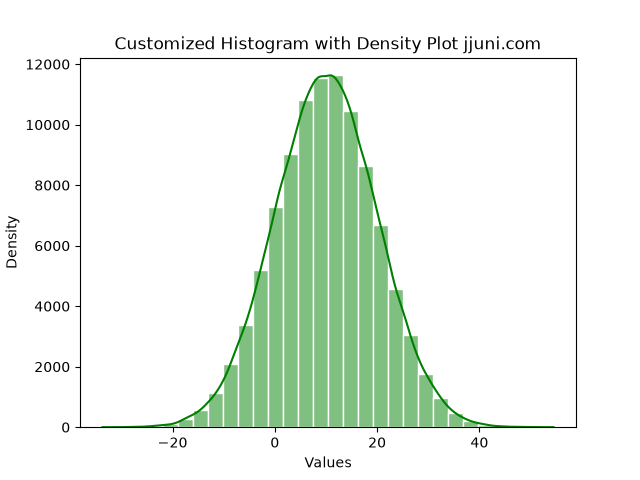
-
2D Histogram
-
A 2D histogram groups data into hexagonal bins to show the density of points across two variables. It is useful for visualizing large datasets where many points overlap in a scatter plot.
-
  import matplotlib.pyplot as plt
  import numpy as np

  x=np.random.normal(loc=10, scale=10, size=10000)
  y =np.random.normal(loc=20, scale=10, size=10000)

  plt.hexbin(x, y, gridsize=10, cmap='Greens')
  plt.xlabel('X values')
  plt.ylabel('Y values')
  plt.title('2D Histogram (Hexbin Plot) jjuni.com')
  plt.colorbar(label='Counts')
  plt.show()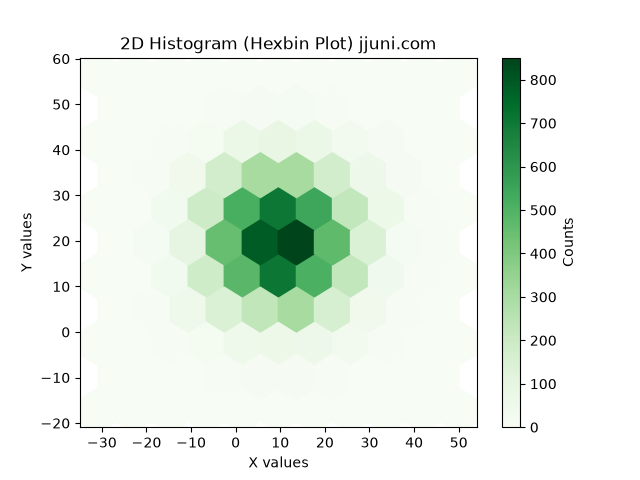
-